Vineyard Intelligence / Sample estate / Reports
Reports Connected to the same source context, review records and delivery register.
Open map ↗ SOURCE CONTEXT Burgundy · rows & vines Wachau · terraces & terrain
COLLECTION C01 ACQUIRED Not published in demo
NEOSCOUT / VINEYARD INTELLIGENCE DEMO / R0
Sample Vineyard Estate · Burgundy
Vineyard review report Planting gaps, canopy condition and infrastructure in one review. See the signal, understand its relevance and prepare a clear task for your team.
D07 / AI illustration · DEMO ↗
Enlarge illustration ↗ Loading illustration… A Review area · B Reference vineAI illustration. Not a survey image; the map marker is illustrative. Exports cover the selected context only. Open CSV in a spreadsheet; JSON retains full review data. The printout includes the complete register.
DEMO REPORT · REVIEW SCENARIOS Scenario images are labelled AI illustrations. They demonstrate report use cases, not survey findings. Real NeoScout data are available in the map and 3D workspace.
06 points in the register
03 report use cases
06 to plan Counts describe demo records and workflow, not defects or missing vines. Completing a task does not validate a diagnosis.
01 Owner’s briefing See what to verify before planning work. Counts refer to demonstration scenarios.
AI illustration · DEMO
Replacement planting 02 Confirm or dismiss each gap. Only confirmed locations can enter a replacement plan.
AI illustration · DEMO
Canopy condition review 02 Decide where an agronomist should review and whether one vine or a row segment needs attention. No automated diagnosis.
AI illustration · DEMO
Infrastructure and visit planning 02 After checking, identify assets needing further assessment and give the team access notes. Do not order repairs from a marker alone.
02 Observations and decisions to prepare Order: user-set priority, then “field check” status. This is a review list, not a risk assessment or an optimised route.
01 / D02
Wall and parcel edge Field check needed Prepared check instruction
D02 / AI illustration · DEMO ↗
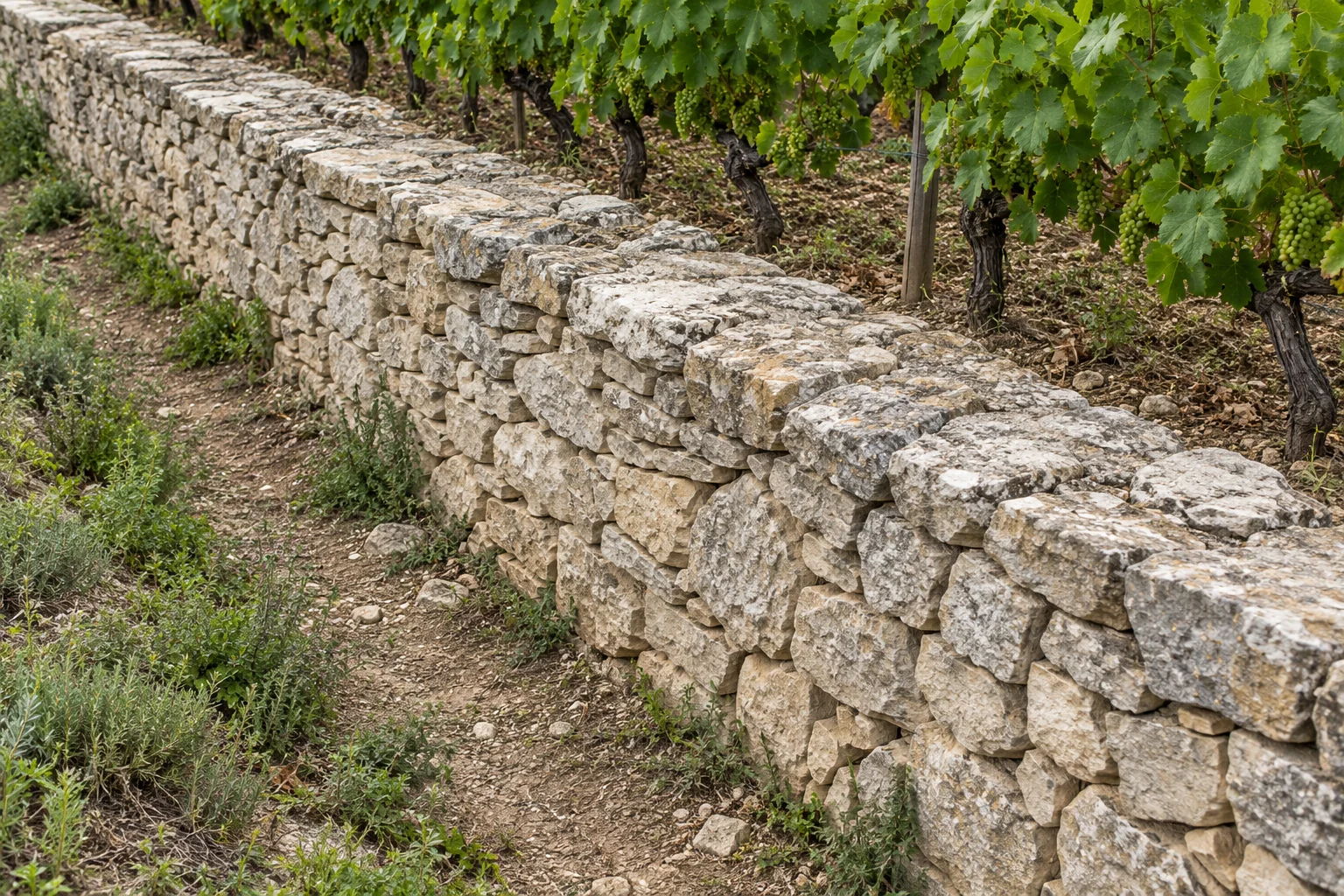
Enlarge illustration ↗ Loading illustration… A Review areaAI illustration. Not a survey image; the map marker is illustrative. What the illustration shows One frame clearly shows the wall section, top and base. An infrastructure inventory example, without asserting damage.
Why it matters to the owner Wall documentation, responsible role and review history stay together: a basis for infrastructure maintenance planning.
Decision to prepare Document condition and decide on any further review before commissioning work.
Team instructions and work record · D02 Suggested instruction · for approval Inspect the selected wall section and parcel edge. Record its condition and any need for further assessment.
What to record after the visit Section condition and a photograph. Record any need for specialist assessment separately from a repair decision.
Suggested role · unassigned Estate manager / field team
User priority Normal 02 / D01
Potential missing vine Awaiting review Prepared check instruction
D01 / AI illustration · DEMO ↗
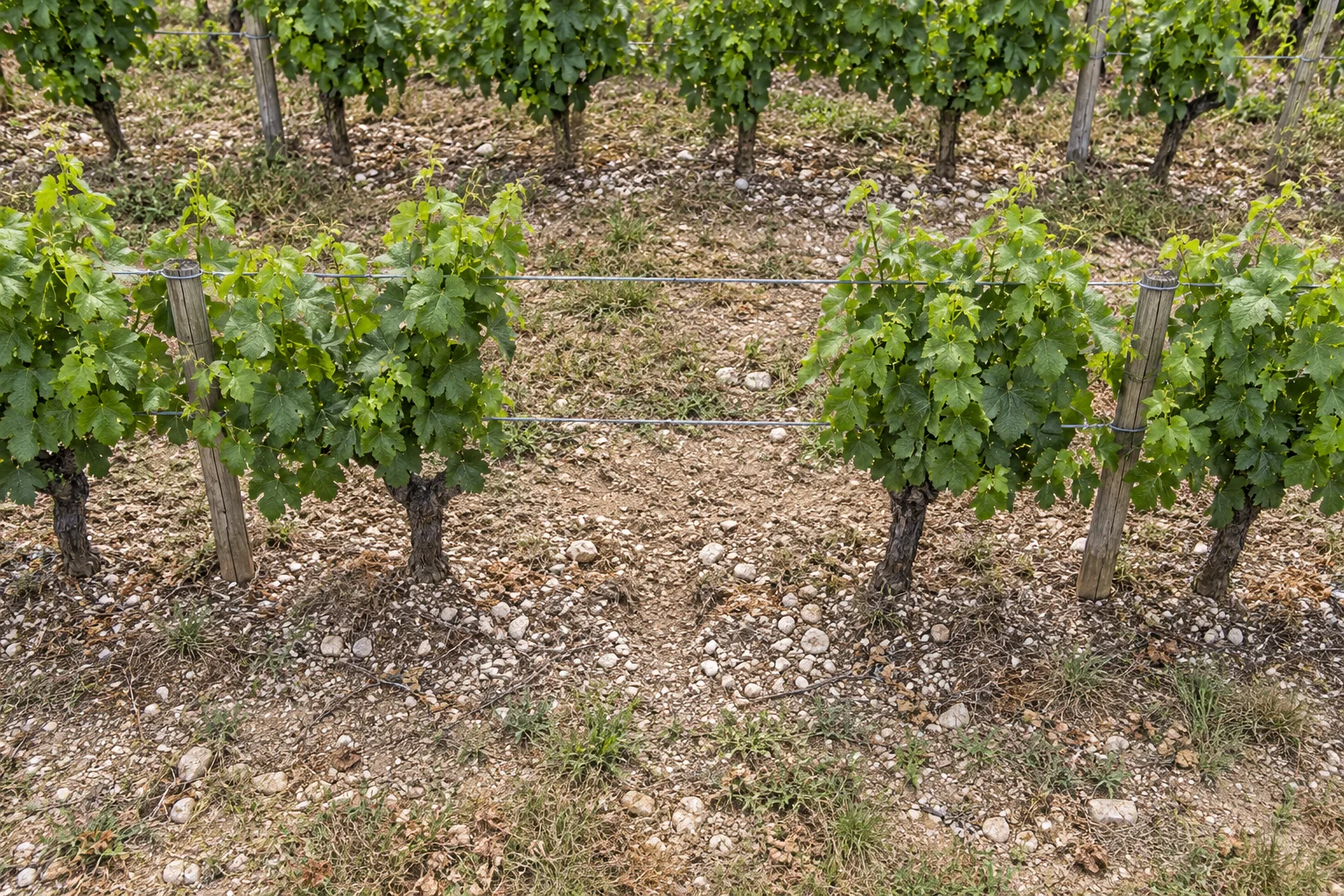
Enlarge illustration ↗ Loading illustration… A Review areaAI illustration. Not a survey image; the map marker is illustrative. What the illustration shows A clear gap in the leaf wall. Trellis wires cross an empty planting position between two canopies.
Why it matters to the owner A basis for replacement planning: which positions need a new vine and which were only canopy occlusion.
Decision to prepare After a field check: confirm the gap for the replacement list or dismiss the candidate.
Team instructions and work record · D01 Suggested instruction · for approval Check whether a vine is present, rule out occlusion and record a photograph and decision after a field visit.
What to record after the visit Vine present, occlusion or confirmed gap; a check photograph and a separate decision for this location.
Suggested role · unassigned Vineyard team / agronomist
User priority Normal 03 / D03
Parcel access route Awaiting review Prepared check instruction
D03 / AI illustration · DEMO ↗
Enlarge illustration ↗ Loading illustration… A Review areaAI illustration. Not a survey image; the map marker is illustrative. What the illustration shows The service track meets the headland and row ends. The illustration identifies what to check before arranging team access.
Why it matters to the owner The team receives access notes with the review points. Visit preparation does not require searching scattered notes.
Decision to prepare Add access instructions and constraints confirmed on site; do not infer vehicle access from an image.
Team instructions and work record · D03 Suggested instruction · for approval Check access on foot or by vehicle and add a route note for the team before the visit.
What to record after the visit Verified access on foot / by vehicle, constraints and a team note. Do not assume vehicle access is possible.
Suggested role · unassigned Estate manager / field team
User priority Normal 04 / D07
Underperforming vine · canopy review Awaiting review Prepared check instruction
D07 / AI illustration · DEMO ↗
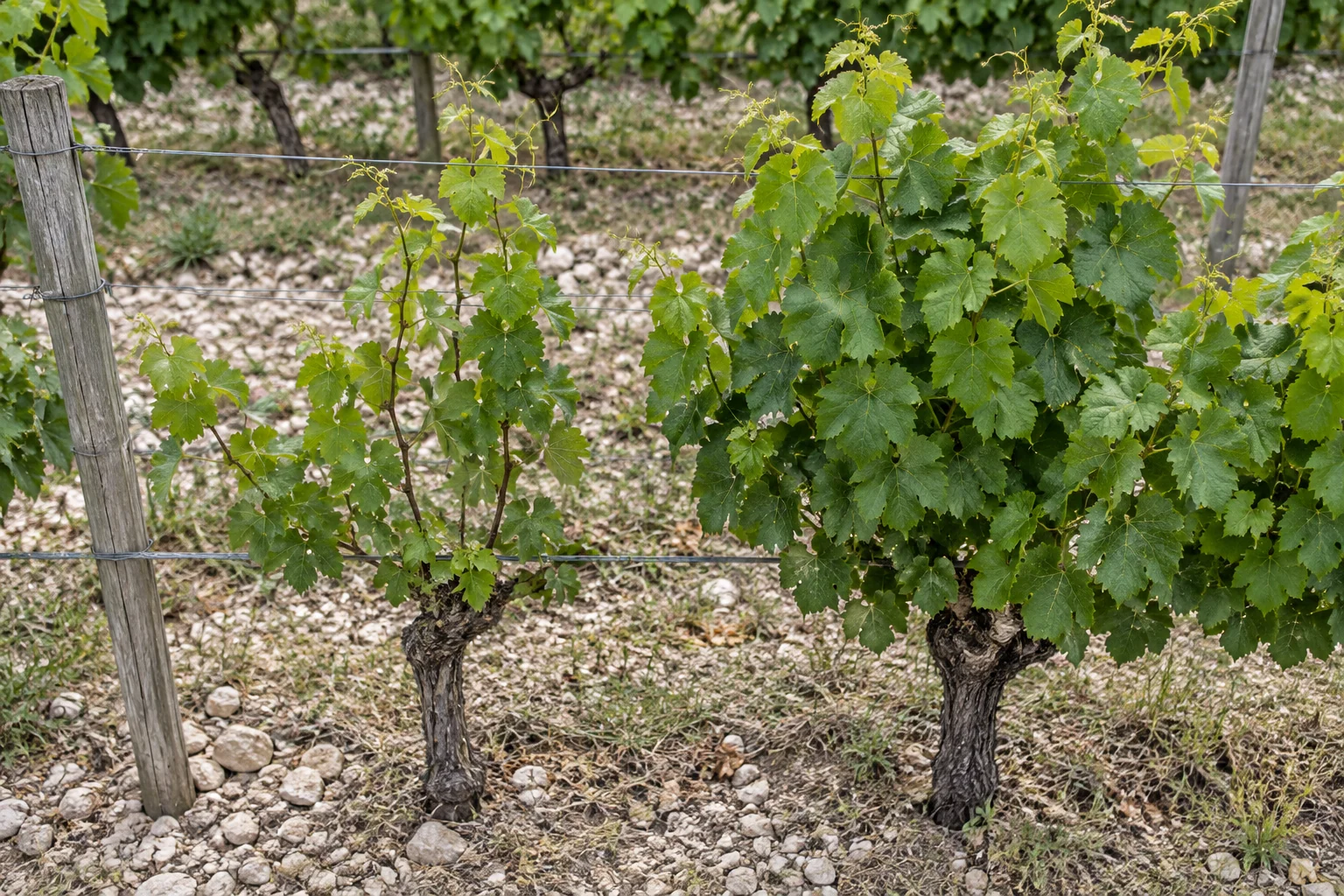
Enlarge illustration ↗ Loading illustration… A Review area · B Reference vineAI illustration. Not a survey image; the map marker is illustrative. What the illustration shows Canopy A is smaller and sparser than canopy B in the same row. The illustration shows appearance, without assigning a cause.
Why it matters to the owner A focused vine list for the agronomist: comparison image, reason for checking and space for the visit conclusion.
Decision to prepare Direct the field visit to a specific vine and decide whether agronomic assessment is needed.
Team instructions and work record · D07 Suggested instruction · for approval Compare the canopy with neighbouring vines and check the location on site. Record a description and photograph without assigning a cause.
What to record after the visit Canopy description against neighbouring vines and a check photograph. The cause needs a separate agronomic assessment.
Suggested role · unassigned Vineyard team / agronomist
User priority Normal 05 / D08
Second missing-vine candidate Awaiting review Prepared check instruction
D08 / AI illustration · DEMO ↗
Enlarge illustration ↗ Loading illustration… A Review areaAI illustration. Not a survey image; the map marker is illustrative. What the illustration shows A close view of an empty position between established vines. Visible wires and soil make the check target clear.
Why it matters to the owner Confirmed positions can form a replacement list for the planting team, with a separate decision for every location.
Decision to prepare Record a separate decision for this position; do not automatically combine it with the first gap.
Team instructions and work record · D08 Suggested instruction · for approval Verify whether the gap is real and record a decision independently from the first point.
What to record after the visit Vine present, occlusion or confirmed gap; a check photograph and a separate decision for this location.
Suggested role · unassigned Vineyard team / agronomist
User priority Normal 06 / D09
Uneven row canopy Awaiting review Prepared check instruction
D09 / AI illustration · DEMO ↗
Enlarge illustration ↗ Loading illustration… A Review areaAI illustration. Not a survey image; the map marker is illustrative. What the illustration shows Sparse canopies form a row segment rather than a single empty position. Fuller neighbouring sections provide comparison.
Why it matters to the owner One task covers a defined row segment. The owner can agree the visit scope and return to its results.
Decision to prepare Define a review segment and one inspection scope instead of unrelated notes.
Team instructions and work record · D09 Suggested instruction · for approval Review the row section and note whether the difference concerns one vine or a larger segment.
What to record after the visit Extent of the difference: one vine or a row segment; description and photograph without calculating yield loss.
Suggested role · unassigned Vineyard team / agronomist
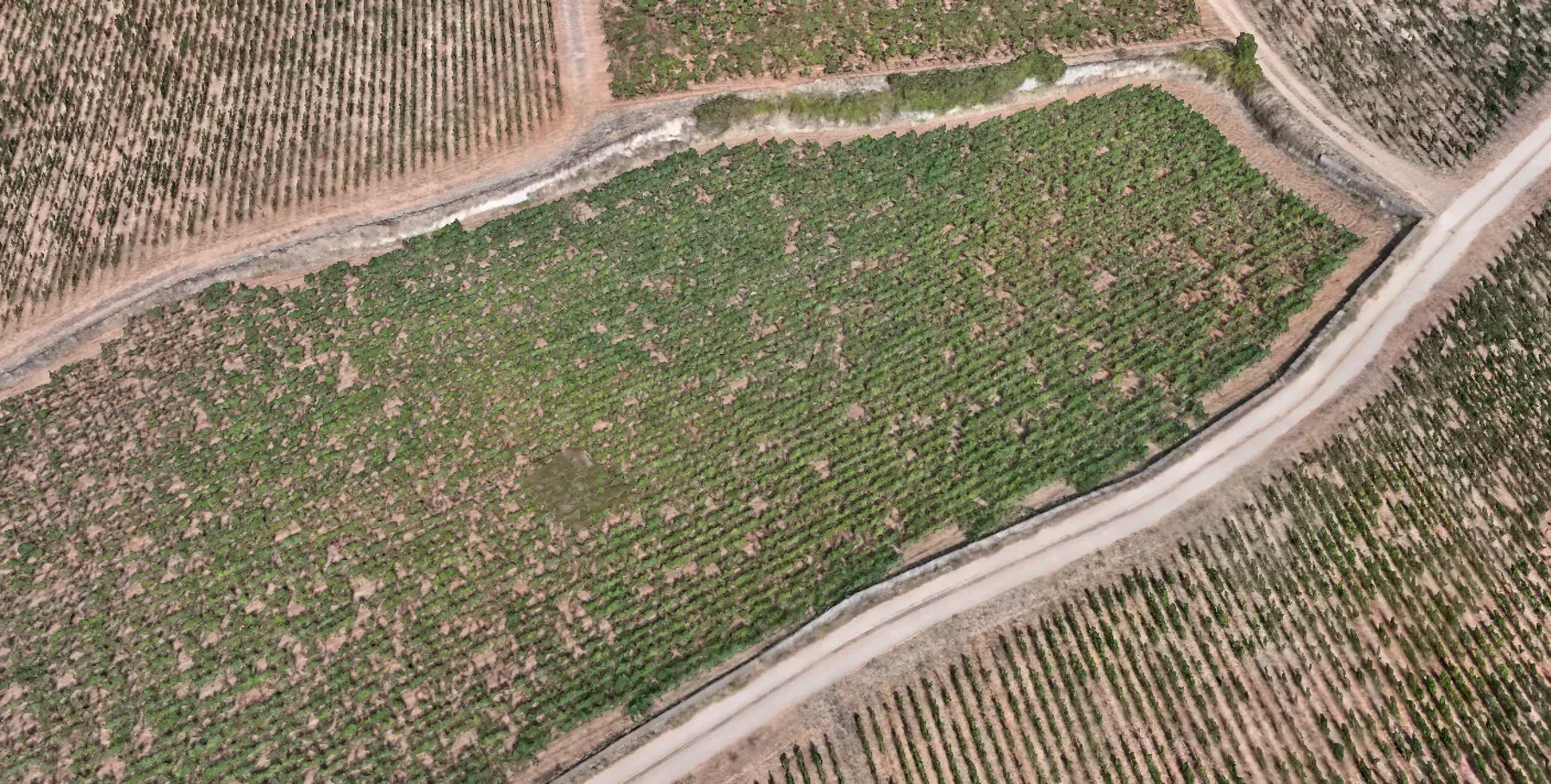
User priority Normal 03 Data context and scenario index The map and 3D model show real material. Report illustrations explain portal use cases and are not registered to those data. Select a marker to reach its instructions below. Positions are illustrative and not georeferenced; this view is not for field navigation.
6 review points Demo scenarios · not confirmed findings
All 6 ○ Missing vine?2 ↘ Underperforming?1 ≈ Row condition1 ▤ Wall & edge1 ↗ Access1
○ D01 Missing vine? ▤ D02 Wall & edge ↗ D03 Access ↘ D07 Underperforming? ○ D08 Missing vine? ≈ D09 Row condition Loading survey image…
SURVEY CONTEXT · NOT GEOREFERENCED + 100% − ⌖
Drag to pan · + / − to zoom · Esc to reset Markers and outlines are illustrative
04
Evidence and report limits
Material and provenance The report uses nine distinct AI illustrations. The map and 3D workspace contain anonymised real NeoScout material from Burgundy and Wachau. Illustrations and markers are not registered to the geometry.
Context image capture date Not published in the demo
Required in a client project Survey date, verified location and parcel ID, coverage and field confirmation. This demo provides no areas, distances, yields or costs. When is a task ready to close? Record the instruction, responsible role and visit outcome. In a client project, attach a check photograph and a decision: further assessment, work to plan or observation dismissed. The public demo accepts no client photos or data.
Backup & restore Only this anonymous demo workspace. Files stay on this device. Export a backup before restoring another copy.
Export complete backup Choose demo backup